Find Your Reject Printer: Why AI Pilots Don’t Pay Off, and the Real AI Adoption Challenge

Ask an IT leader how the company’s AI rollout is going and you’ll often hear some version of the same answer. The licenses are bought. People are using them. Nobody can say what the business got back.

That answer is more common than anyone admits. In McKinsey’s latest State of AI survey, 88% of organizations said they use AI in at least one business function. Only about 6% qualified as high performers, meaning they attribute 5% or more of EBIT to AI and report significant value from it. Everyone else is somewhere in the middle: busy, but not much better off.

It’s tempting to read that gap as a technology problem. Wrong model, not enough training, prompts that need work. But the biggest AI adoption challenge usually isn’t technical at all. It’s that AI keeps getting pointed at work that shouldn’t exist in the first place.

There’s an old lean manufacturing story that explains it better than any survey.

The reject printer

Early in his career, Dan O’Keefe, now Pivotly’s CEO, was on a plant floor when an operator named Juan flagged a problem to the plant’s lean coach, Steve. The printer for reject tags was too slow. Tags were backing up.

Steve told him he didn’t have a printer problem.

Juan figured he’d been misunderstood and explained it again. Then a third time, louder. Steve finally spelled it out for him: it’s not the printer. Stop making rejects and nobody has to print reject tags.

To a lean coach, the slow printer wasn’t the problem. It was a symptom at the end of a line that was producing scrap. Speed up the printer and you’ve just made the waste faster. Fix the line and the printer, the tags, the pile of rejected parts and the floor space they eat up all go away together. Nobody had to target any of those savings. They came with a better process.

That’s the idea behind this whole post. A reject printer is any tool, project or pilot that makes waste more efficient instead of removing it. And a lot of AI work right now is building very expensive reject printers.
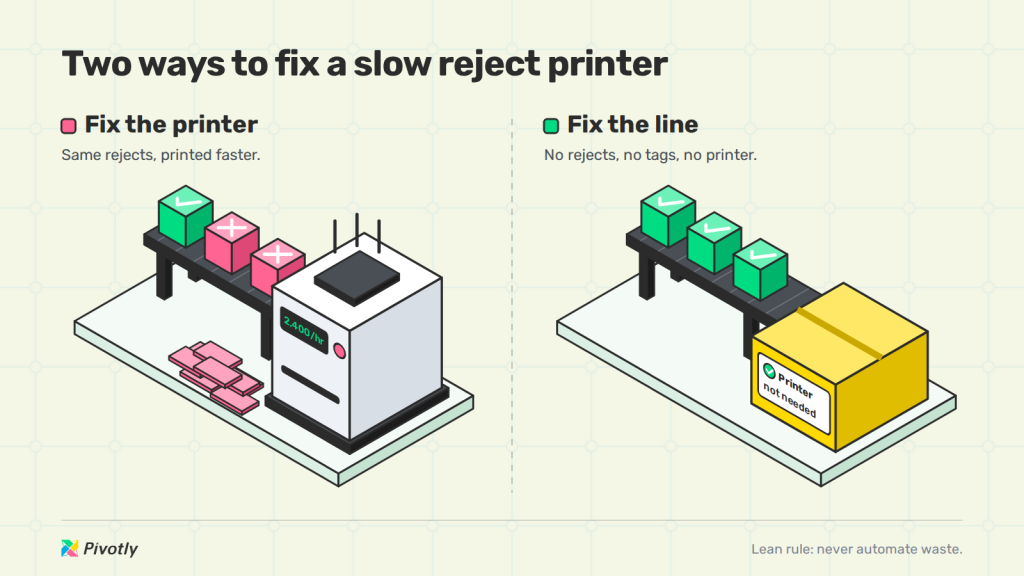
Two ways to fix a slow reject printer: a faster printer that piles up reject tags, or a fixed line where good parts ship and no printer is needed
Speeding up the printer makes waste faster. Fixing the line removes it.


Everyone’s fixing the printer

Listen to how most companies talk about their AI implementation challenges and you’ll hear printer fixes. Should we switch models? Do people need more prompt training? Should we wait for the next release?

Those aren’t bad questions. They’re aimed at the smallest part of the problem. BCG uses a rule of thumb for AI programs that work: about 10% of the effort goes to algorithms, 20% to technology and data, and 70% to people and processes. Most pilots run that ratio backward. They spend months on the model and almost no time asking whether the work it’s doing should exist.

The models also aren’t what’s holding anyone back. The ones available today read, extract, classify and draft well enough for most business work. When a pilot stalls, it’s rarely because the AI couldn’t do the task. It’s because the task was a symptom of something further up the line.

McKinsey’s data points the same direction. Its high performers are nearly three times as likely as other companies to fundamentally redesign their workflows when they deploy AI, instead of layering it on top of the old process. They didn’t buy a faster printer. They fixed the line.

Why AI projects fail: four places reject printers hide

The failure numbers keep climbing. S&P Global Market Intelligence found that 42% of companies abandoned most of their AI initiatives in 2025, up from 17% the year before. The average organization scrapped 46% of its AI proofs of concept before they ever reached production.

Look closely at the pilots that stall and the reject printers tend to turn up in the same few spots.

1. The old process in a new tool

The easiest AI project is to take something people already do and hand the simple parts to a model. Draft the email. Summarize the meeting. Tag the transaction. It saves a few minutes and it feels like progress, but the workflow around it hasn’t changed, so the business result hasn’t either. Lean has a rule for this: never automate waste. If a step shouldn’t exist, doing it faster just gets you more of it.

2. Six systems that don’t agree

Most business processes don’t live in one place. The customer record is in the CRM, the order is in the ERP, pricing is in a spreadsheet, and the exceptions live in the heads of a few people who’ve been there for years. Point AI at that and it’ll confidently answer from whichever piece it can see. Across Pivotly’s client projects this year, the pattern held every time: work stalled at data and integration, and clients were surprised by how incomplete their data turned out to be. That’s the line, and a better model can’t fix it.

3. The autonomous agent bet

Agents promise to take a goal and come back with a finished job. In practice, AI is strong at the front half of a task (pulling records, reading documents, extracting, classifying) and weak at the back half, where the exceptions and judgment calls sit and where someone has to be accountable. Gartner predicts that over 40% of agentic AI projects will be canceled by the end of 2027 because of escalating costs, unclear business value or inadequate risk controls. An agent that hands the back half to a model is betting the hardest part of the job doesn’t matter.

4. Pilot purgatory

Then there’s the pilot that never ends. It was scoped to prove AI works, not to move a number. Nobody owns the result, and there’s no clear point where it graduates or gets shut down, so it just keeps running. A pilot with no business owner and no constraint to attack is a reject printer by design.
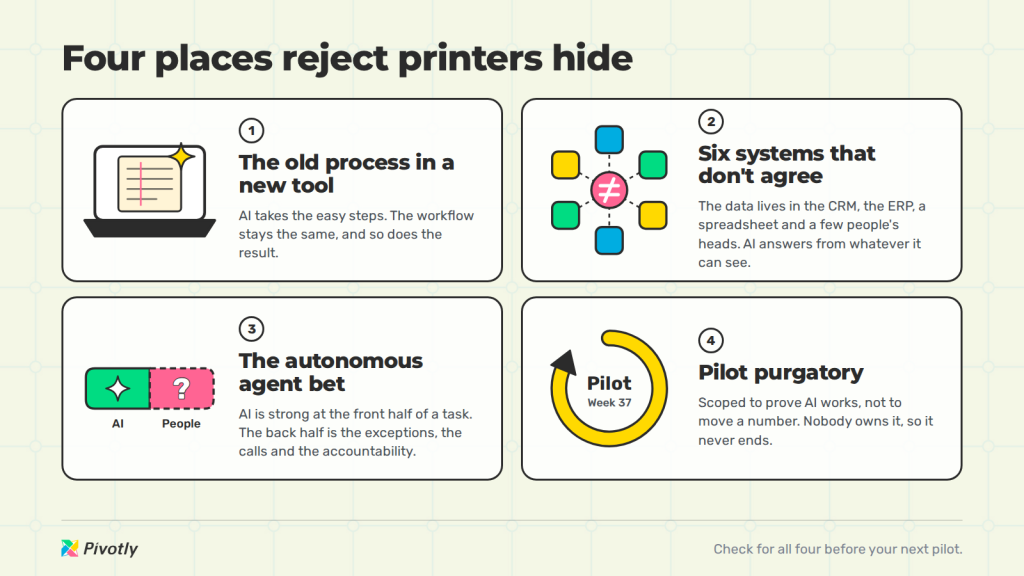

Why AI projects fail: four places reject printers hide, the old process in a new tool, six systems that don’t agree, the autonomous agent bet, and pilot purgatory
Check your workflow for all four before the next pilot.

How to find your reject printer

Finding the reject printer is process improvement work first and AI work second. Before you pick a model or a use case, walk your most important workflow end to end and answer five questions.

  1. How does the business win? Lowest price, fastest turnaround, best service. Name the thing customers actually choose you for.
  2. What would let it win more? Find the constraint on that advantage. It’s the step that slows a bid, delays an order, or caps how much one team can take on.
  3. Who knows how to fix it? Usually it’s the process owner, not IT and not a vendor. They’ve been working around that constraint for years.
  4. Where’s the data, and how bad is it? List every system, spreadsheet and inbox the workflow touches. Be honest about what’s missing or out of sync.
  5. Are the people, the work and the AI on one screen? If doing the job means switching between six apps, the switching is part of the waste.

That’s what AI process improvement looks like in practice. The questions don’t mention a model until the last one, and that’s on purpose. If you can’t answer the first two, start there. If the fourth one makes you wince, that’s usually where your AI project should actually begin.

More lean lessons on making AI pay off, in your inbox.

Free, about twice a month. Unsubscribe anytime.

What fixing the line looks like

When the line gets fixed, the AI usually turns out to be the smallest piece. The pattern that works splits the task in two. AI handles the routine front half automatically, and the person who knows the work finishes it, on one screen with the data already in front of them.

Pivotly’s preconstruction customers are a good example. Their estimators used to spend the day moving between plan sets, spec books and spreadsheets. With an app built on top of the systems they already run, AI does the reading and the estimators do the deciding. It’s the same team, and they’re now turning out twice as many bids.

Dan has seen the same thing play out long before AI. Earlier in his career, he was handed a failed ERP rollout: $100 million spent and three plant launches, none of them successful. Instead of rescuing the system, he asked each business leader a simpler question. What would actually make your unit better? The answers turned into 20 smaller projects, from warehouse management to cost analytics to configure-price-quote. Only one of the 20 needed the ERP. Together they cost half what the rescue would have, took half the time, and delivered twice the productivity gain.

That lesson carries straight over to AI. The people who own the work already know where the constraint is. Small projects aimed at that constraint cost less and pay back sooner than one big program aimed at everything.

The CIO’s job is to make the building safe

For IT leaders, this changes the job. Process owners are already building their own tools with AI, and they’re going to keep doing it. One Pivotly client had a non-technical team member build an app in Claude that his business unit had wanted for years. It worked. Then the hard question landed on the CIO’s desk: how do you connect it to company data, secure it, audit it, and keep it running when the person who built it is on vacation?

That’s where most of the real effort goes, and very little of it is AI. It’s shared data, meaning one version of customer, order, price and inventory pulled from the systems you already run. And it’s a governed place for what people build to live. With both in place, IT stops being the department that has to shut down shadow apps and becomes the one that makes it safe to say yes.

That’s what Pivotly is built for. It connects the systems you already have, gives business-built apps a home you can see and control, and links every AI-extracted value back to the exact spot in its source, so you can verify what it did. Once that client’s app was running on Pivotly, it barely used any tokens. The value was never in the prompts.

Stop fixing the printer

The AI results most companies want sit on the other side of work that rarely makes the roadmap: cleaning up the data, connecting the systems, and writing down how the process actually runs and where it gets stuck. Get that done and the model doesn’t need to be extraordinary to be valuable.

So before you approve the next pilot, find your reject printer. Then fix the line.

Dan O'Keefe, Pivotly founder and CEO Kevin C. Lilly, former EVP of Global Transformation at JELD-WEN
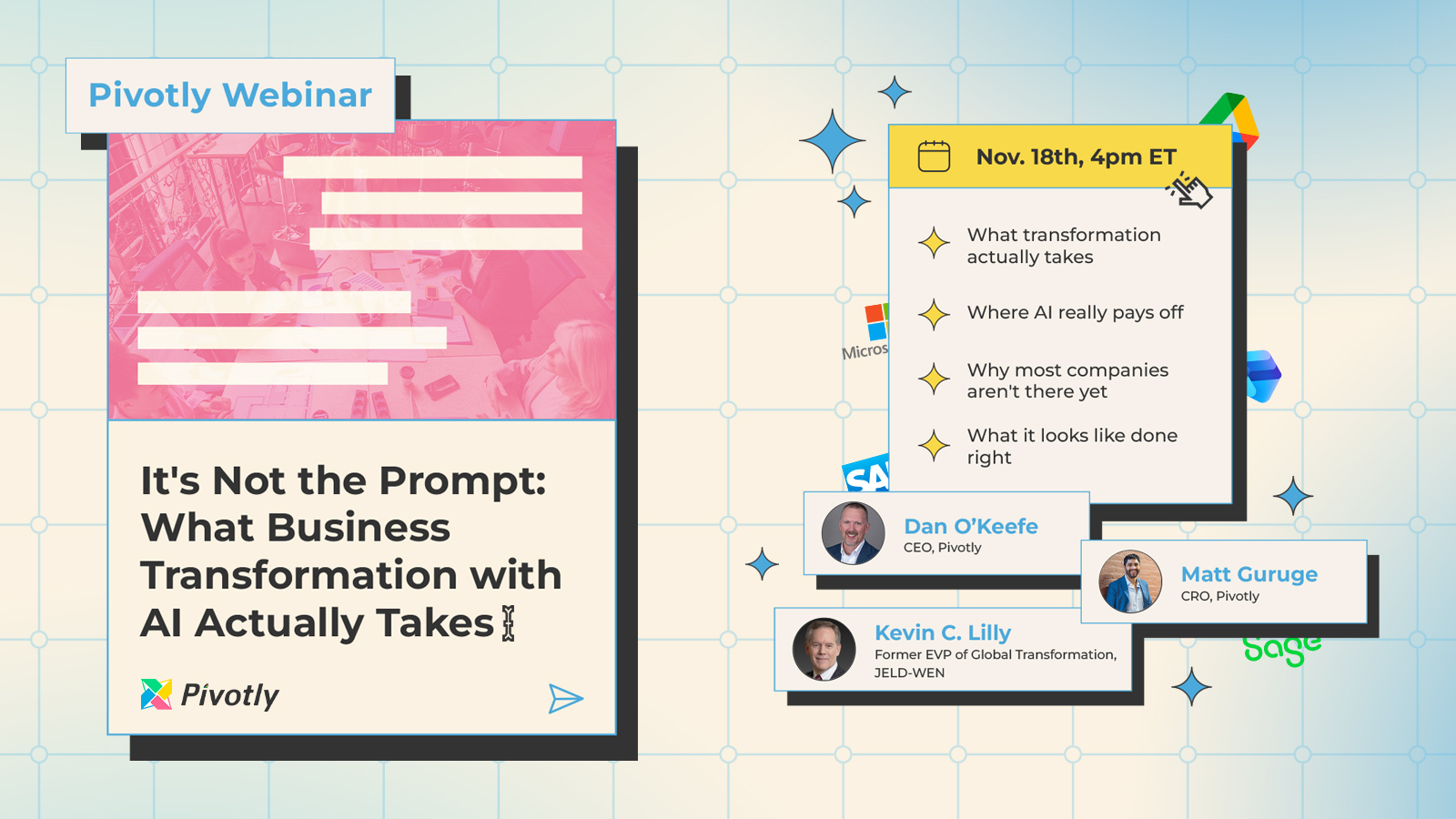
Wed, Nov 184:00 PM ET, 60 min

Live webinar

It's Not the Prompt

What business transformation with AI actually takes, from two former JELD-WEN leaders.

Attend live and get the Find Your Reject Printer diagnostic.

Save your seat
Frequently asked questions

What are the biggest AI adoption challenges?

The biggest AI adoption challenges usually aren’t technical. Most stalled projects trace back to AI added on top of an unchanged process, data spread across systems that don’t agree, and no business owner accountable for the result. McKinsey found its AI high performers are nearly three times as likely as other companies to fundamentally redesign workflows when deploying AI.

Why do AI projects fail?

AI projects usually fail because they automate work that shouldn’t exist, run on incomplete or disconnected data, or hand judgment-heavy work to autonomous agents. S&P Global Market Intelligence found that 42% of companies abandoned most of their AI initiatives in 2025, up from 17% in 2024.

What percentage of AI projects fail?

It depends on how failure is measured. S&P Global reported that the average organization scrapped 46% of its AI proofs of concept before production in 2025. Gartner predicts over 40% of agentic AI projects will be canceled by the end of 2027. McKinsey finds only about 6% of companies attribute 5% or more of EBIT to AI.

What causes agentic AI projects to fail?

AI is reliable at the front half of a task (retrieving records, reading documents, extracting and drafting) but unreliable at exceptions and judgment calls. Gartner cites escalating costs, unclear business value and inadequate risk controls as the reasons it expects more than 40% of agentic AI projects to be canceled by 2027.

What is a reject printer in AI?

A reject printer is a tool or project that makes waste more efficient instead of removing it. The term comes from a lean manufacturing story: a plant blamed a slow printer for reject tags when the real problem was a line producing rejects. In AI, it’s a pilot that speeds up a step that shouldn’t exist.

How does process improvement help AI adoption?

AI process improvement starts by finding the constraint in a workflow before choosing a tool. Identify how the business wins, where the work slows down, who owns it, and where the data lives. Then let AI handle the routine front half of the task while people keep the judgment calls.

What should IT leaders do about AI apps built by business teams?

Give them a governed home instead of shutting them down. That means shared, connected data and a secure, logged environment where business-built apps can run, so IT can see, audit and support them. Governance done this way is what lets IT say yes to the tools teams are already building.