The Source-to-Pay Process, Traced Through a Single Purchase

You finished the hard part weeks ago, because the requirement was clear, the supplier was chosen, and the price was agreed. The purchase should be well on its way to done, and yet it keeps landing back on your desk. First it returns as a purchase order to key, then as a confirmation to check and a status question to answer. Last of all, it comes back as an invoice that will not match.

Every source-to-pay process looks tidy on a diagram, with one arrow from the order to the receipt and another from the invoice to the payment. In practice, each of those arrows is a person carrying the same supplier name, price, quantity, and date from one screen to the next. This post follows one ordinary purchase from source to pay and stops everywhere that happens, so you can see where the re-keying sits and what it costs you.

What the source-to-pay process looks like from the buyer’s desk

From the buyer’s side, source to pay covers everything from the moment a need is sourced to the moment the supplier is paid. Most teams run it in six stages: sourcing, the purchase order, the supplier’s confirmation, receiving, the invoice, and payment. Each stage usually lives somewhere different, such as a purchasing system, an email inbox, a receiving log, or an accounts payable queue. None of them was built to hand its data to the next one.

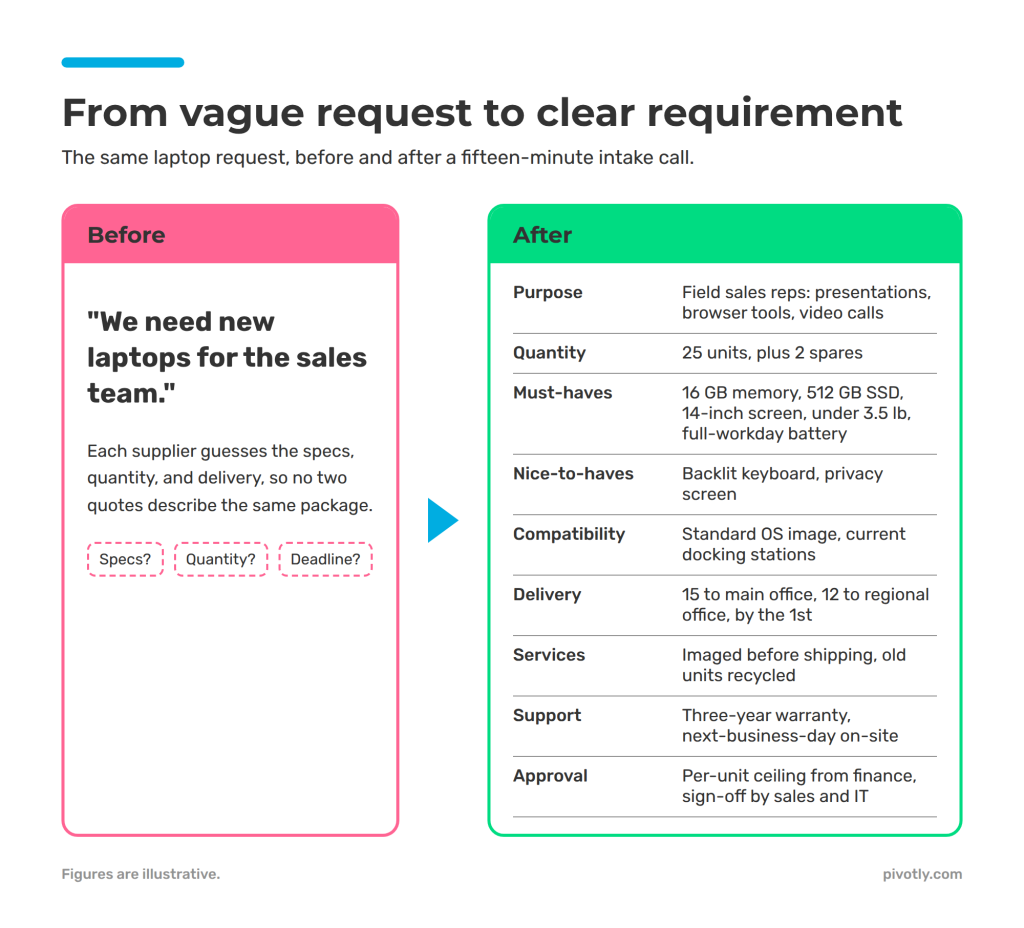
Our example starts where the procurement intake playbook ends, with a sourcing-ready record. A team is moving into a new space and needs 40 task chairs, the supplier has been selected, and the unit price, delivery window, and cost center are all agreed. If your record is still vague at this point, start with how to turn a vague purchase request into a clear requirement, because every later stop inherits its gaps. From here, the chairs have five more stops to make before anyone is paid.

Follow one purchase through the source-to-pay process

source to pay process

The map above shows the route, and the stops below show what happens at each one. As you read, watch five values travel together: the supplier, the unit price, the quantity, the delivery date, and the cost center.

Stop 1: The purchase order

You open the purchasing system and type the supplier, the item description, 40 units at the agreed price, the delivery date, and the cost center into a new order. Every one of those values already exists in the sourcing record, but the two systems do not share it, so you copy them across by hand. That is the first re-key in the source-to-pay process, and it becomes the version every later stop is checked against.

Stop 2: The supplier’s order confirmation

Two days later the confirmation arrives as a PDF attachment, and it does not quite match what you sent. The supplier has pushed the delivery date out by a week and added a freight line you did not expect. You read the PDF against your order line by line, update the date in the purchasing system, and make a note to settle the freight charge before the invoice arrives.

Stop 3: The status tracker

The requester wants to know when the chairs will arrive, and so does their manager. Because neither of them can see the purchasing system, you keep a spreadsheet of open orders and type the new date into it as well. That spreadsheet now holds a third copy of the order, and it is only as current as your last free minute.

Stop 4: Receiving

The delivery shows up with 38 chairs and a packing slip that lists 2 on backorder. The receiving team logs 38 in their own system, or sometimes in an email to you. The gap between 40 ordered and 38 received now lives in two places that do not know about each other. You update the tracker again and let the requester know that two people will wait another week for their chairs.

Stop 5: The invoice and the three-way match

The step from purchase order to invoice is where all of that drift finally surfaces. Accounts payable keys the supplier’s invoice, which bills 40 chairs plus freight, and the three-way match compares it with the order and the receipt. Nothing agrees, because the order says 40 with no freight, the receipt says 38, and the invoice says 40 with freight. The exception comes back to you weeks after you last looked at this purchase. Before anyone can approve payment, you rebuild the story from your inbox, your tracker, and the confirmation PDF.

By the time the supplier is paid, five people have touched the purchase and you have keyed or corrected the same values at least four times. None of those steps was difficult, and every one of them was necessary, because the systems along the source-to-pay process could not pass the data along on their own.

How lean IT teams put AI to work, in your inbox.

Free newsletter, unsubscribe anytime.

What each re-key costs the person doing it

A single re-key takes a few minutes, which is why it rarely registers as a problem in the source-to-pay process. The real cost sits in what surrounds each one.

The interruptions arrive on someone else’s schedule. Status questions, supplier confirmations, and payment exceptions show up whenever they show up, so each one pulls you out of the sourcing work you were in the middle of. Just like that, momentum and focus go out the window. The re-key itself is quick, while finding your place again afterward usually takes longer than the task did.

The exceptions arrive after you have moved on. The mismatch at stop 5 was created at stop 2, when the date and the freight changed, but it surfaced weeks later, once the details had gone stale. Reconstructing a purchase from memory and attachments takes far longer than fixing it would have on the day it changed.

Your own records stop agreeing with each other. After four copies, you are never fully sure which one is right, so you check before you answer anyone. That checking is invisible work, and it grows with every open order on your list.

The hours come out of sourcing. Every hour spent carrying data between screens is an hour away from the work that needs a buyer’s judgment, such as negotiating terms or developing a new supplier. Your team keeps its people and its skills, but a steady share of its capacity goes to source-to-pay admin, moving values that already exist somewhere else. What a waste.

source-to-pay process

Three habits that shorten the trail today

These three habits work inside the source-to-pay process you already run, with no new software required. Each one either removes a copy of the data or catches a change while it is still easy to fix.

Designate a home for each value

Decide which record owns each value, and update that record first whenever something changes. For most teams the purchase order should own the price, quantity, and delivery date, so when a confirmation moves one of them, you change the order first. Your tracker and every other copy then have a single place to be checked against.

Check each confirmation on the day it arrives

Read every supplier confirmation against its order line by line as soon as it lands, and resolve any differences between them then and there. A moved date or an added freight line takes minutes to resolve while the order is fresh, and resolving it early keeps the three-way match from failing later.

Give requesters a place to look

Share a simple, read-only view of open orders with the people who ask about them most, even if it’s just a filtered copy of your tracker. Each question they answer for themselves is one less interruption for you, and it gives every member of your team visibility over the purchase order to invoice trail.

Where the source-to-pay process goes from here

These habits shorten the trail, but they still depend on you to carry every value across by hand. The lasting fix is a source-to-pay process in which your systems share one record, so a change made once reaches every place that needs it.

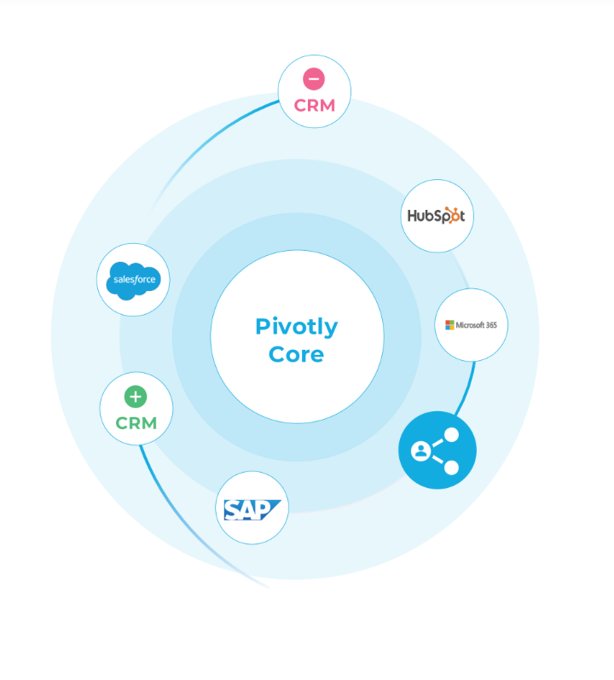
Pivotly Core connects the purchasing, receiving, and accounts payable systems you already run, reads supplier confirmations and invoices as they arrive, and links every extracted value back to its source page. Your team verifies each change before it syncs, with every step logged along the way. When a date moves or a freight line appears, the order, the tracker, and the match all see it at once.

The end result? Your buyers keep the judgment calls and get back the hours they were spending as gophers between screens.

Pivotly Core connecting Salesforce, SAP, HubSpot, Microsoft 365 and CRMs in one governed layer

For IT and operations leaders

Everyone can generate an app. Almost no one can run one safely.

One governed place for every app, workflow, and AI action. In your tenant, your data stays yours.

Book an assessment
Frequently Asked Questions About the Source-to-Pay Process

What is the source-to-pay process?
It covers everything from the moment a need is sourced to the moment the supplier is paid. For most teams that means six stages: sourcing, the purchase order, the supplier’s confirmation, receiving, the invoice, and payment. Each stage often lives in a different system, which is why the same values end up being carried between them by hand.

How is source to pay different from procure to pay?
Procure to pay usually starts at the purchase requisition and ends at payment, so it covers ordering, receiving, and paying. Source to pay adds the sourcing work that comes before it, including finding and selecting the supplier and agreeing on the price. For a buyer, the handoffs matter more than the label, because the re-keying happens in the same places either way.

What is a three-way match, and why does it fail?
A three-way match compares the invoice with the purchase order and the receiving record before a payment is approved. It fails when the three disagree, such as when a shipment arrives short, a price changes after the order is placed, or a charge like freight appears on the invoice but never reached the order. Most failures trace back to an earlier change that was updated in one place and not the others.

Where does re-keying usually happen in the source-to-pay process?
It happens wherever two systems hold the same value but do not share it, most often at the purchase order, the supplier confirmation, the buyer’s own status tracker, the receiving log, and the invoice. The values that move most often are the supplier, unit price, quantity, delivery date, and cost center, so those are the best place to start looking.

How can buyers reduce re-keying without new software?
Start with three habits that work in the systems you already run. Name one record as the home for each value and update it first, check every supplier confirmation against its order on the day it arrives, and give requesters a read-only view of open orders so fewer status questions land on your desk. Each habit either removes a copy of the data or catches a change while it is still easy to fix, and that gives your buyers hours back for sourcing work.